Designed Autonomy
Imagine you’re running a startup. You’re the founder with ten employees. You’re sitting in an open office together. And whenever one of your employees has a question, they come to you and ask you what you want to do. You have to stop what you’re doing, orient yourself to their context, and then make a decision—an often inconsequential decision they should be able to make on their own. But they don’t. The work requires a lot of starting and stopping, with you serving as the gatekeeper of progress.
This is what it’s like working with AI agents.
But instead of the ten human employees in an open office, you have ten terminal windows with separate chat sessions. Each agent does a bunch of work in an isolated session—reads files, runs searches, writes code—and stops regularly with a wall of text or list of questions for you. You stop what you’re doing to respond in an endless stream of making decisions in different context windows. It feels like doing more than ever before, while simultaneously eroding the creative part of the process.
Design the conditions
Before we solve the AI problem, let’s talk about the human problem. Those ten employees in our fictitious example wouldn’t actually come to you for every decision. Well, they could, but that’s a recipe for failure. We counteract this by building rules around the work. Each person is equipped with context critical for them to effectively do their job. They have an area of responsibility to focus on. Depending on their experience level, they’re given degrees of autonomy to do the work. The constraints are governing controls to allow autonomy to operate effectively within the system of work.
- Governance: What guides us?
- Goals: What are we pursuing?
- Metrics: How do we know it’s working?
- Roles: Who owns what?
- Processes: How do we operate?
Governance. This includes your core values, principles, mission statement. The things you write down and lean on to make sure there’s a moral compass for everyone to follow. It’s not what creates a culture, but it’s what guides the direction of behavior towards the kind of culture you want to build.
Goals. They help you build plans to help you reach your mission. Rocks, OKRs, or whatever flavor of targets you define. If the governance serves as the moral compass, then goals serve as the directional compass. They are the big things you want to accomplish. Knowing the goals helps your team stay focused. They act as a filtration system for priority.
Metrics. Quantitative numbers give you a sense of how you’re performing. It’s a measure of how well you’re achieving your goals and reaching the outcomes you want. The hardest part about metrics is picking the right ones to tell you the right story. The wrong metrics can deceive you and send you down the wrong path, while the right metrics can signal if what you’re doing is working and how to adjust.
Roles. Each member of the team needs to fill a specific seat. They have a role and a set of responsibilities they’re accountable for. The constraints of ownership provide an environment where they can increase their skills and knowledge. And it tells other members of the team who is doing what, making it easier to coordinate efforts.
Processes. The list of steps defines the processes people follow to achieve a result in a predictable and repeatable manner. Different roles follow different processes, measured by metrics, built within goals, and bounded by the rules of governance. All of the elements work together to form the larger system.
This is how companies work. There are rules and procedures to maintain coherence in the system. When you work with AI agents, you need the same. And this is the perfect place where you, the human, can apply your unique skills, knowledge, and judgement—not so you can excuse yourself from the process, but so you can guide it intentionally.
These are **operating conditions. **They apply the same logic to any intelligence, human or artificial. It takes a lot of cognitive energy to design the conditions intelligence operates within. People managers often miss the importance of the system surrounding the people they manage. Is it supporting them? Is it helping them move toward their goals? Is it creating the conditions conducive to success?
If you intentionally design the conditions around AI agents, they work better.
Governance comes from system instructions, principles, and the files agents read.
Goals come from clearly written prompts that detail clear and verifiable outcomes.
Metrics define what’s important to measure and a method to evaluate performance.
Roles provide purpose so agents know how they should think and operate.
Processes standardize workflows into repeatable tasks that agents can perform.
But the real benefit of applying these operating conditions to AI agents is so you can protect your attention. If you don’t, then you’re sitting in that same office, answering questions and getting no time to do the valuable work.
Protect human attention
The trendy term right now is “software factory.” The general idea is that you have a swarm of AI agents watching data coming in (feedback, usage, errors). They take the data, write code, open and review the PR, and release the change out to production, all with little-to-no human intervention.
But the idea isn’t new.
A software factory has its origins in the late 1960s, when software engineering was confronting the same problem of increasing production without sacrificing quality. Code was still being written by human engineers, so the focus was on the environment in which software could be produced systematically: shared methods, reusable components, specialized roles, disciplined management, and quality controls.
Sound familiar? Operating conditions!
Even with improved conditions, companies at the time struggled to apply the conditions uniformly across the work. They learned a valuable lesson we still experience today:
Work is not uniform. Different types of work require different conditions.
The challenge is designing conditions so AI agents can work autonomously, responsibly, and predictably, without eroding the finite resource of limited human attention.
Factory vs. Studio
Like any trend, a healthy dose of skepticism is necessary. I don’t think a software factory is the right choice for all software work. And it’s definitely not the right choice until you have a strong handle on all the conditions surrounding your agents.
Quality work requires maintaining coherence throughout the lifecycle of work. The work can and should change, but continuous ownership stewards the intention from start to finish.
Work should flow through different lanes depending on the required conditions.
The Factory is where you let your agents move work from start to finish, working within your conditions to verify and deliver the work.
The Studio is where you focus your attention on the work that requires slow deliberation and intentional thinking to produce results.
The flow of work in the Factory:
- Execute based on clear specifications.
- Verify outputs meet the requirements.
- Observe results and measure outcomes.
And the flow of work in the Studio:
- Explore divergent perspectives.
- Create intentional outputs.
- Refine through feedback.
AI can perform low-risk work on its own. It can also take larger, higher-risk changes, but there’s still a lot of strategic work where you should stay in charge. If you delegate or surrender control, you lose the thread of understanding forged through the process.
When a researcher publishes a paper, they themselves are as much a product of the work as the paper. They learn and grow and expand their own thinking to fuel later work. If they delegate the thinking to AI, then they miss the wonderful aha moments and insights that come when they stay engaged in the work.
That’s the work for the Studio. You can use AI, but in intentional places where it can expand your thinking, not surrender it.
Deliberate Decisions
The way I think about the two paths is how decisions are made. The Factory can follow a human-driven rubric for making decisions, but the Studio is more nuanced. You need to meet reality and do the work before the pathways begin to open up, like following a current of water as it carves out new channels.
Assessment
Our new code review system, Review Queue, has been running for three weeks now. I’ve been measuring the output and capturing feedback from the team. I audited the last 100 Pull Requests as a sample to understand how the reviews are working. I discovered that 20% of our PRs fit into the category of work we should automatically approve and deploy.
Why?
The impact of the change is low because the surface area is limited.
The risk is low because of the type of change, so confidence is high.
And the changes, if there are unintended effects, are easily reversible.
Impact + Confidence + Reversibility
We started running cloud agents in Claude for monitoring errors and analytics. They’re connected to our data sources, run on a schedule, and create Linear tickets. There’s a daily ticket in Linear I review that reports signals. We have another one doing QA checks. And we have another one reviewing and reporting on churn data. This is an early taste of autonomous agents operating without human intervention. The next phase is letting them make more independent decisions so they can act on the work, like opening and merging a Pull Request, for example.
But, to do that, agents need a decision-making framework, which includes assessing impact, confidence, and reversibility. They also need clear checkpoints to measure progress, and you, the human, need to know how, when, and why you’re participating in the process.
If you don’t, you’re the founder with dozens of agents constantly interrupting you.
Checkpoints
When I worked with junior developers, I started by helping them clearly define the problem they’re trying to solve. I would check in with them after they felt confident in their definition of the problem. Then we’d check in again once they started the work and their understanding of the problem improved. As they continued working, they’d check in when their understanding changed, a decision was needed, or both.
Understanding Checkpoints occur when you need to make sure you understand the problem, approach, and implications well enough to continue.
Decision Checkpoints occur when there’s a consequential choice that requires human knowledge, experience, and judgement in order to continue.
Checkpoints can be triggered based on a specific milestone, time, or event. The frequency of response should be based on the nature of the work, like the varying length of book chapters dictated by the needs of the story. Those nuances can be built into the conditions described to agents in the governance conditions we discussed earlier.
Participation
What matters most for humans is using experience and judgement to decide how your agents call for attention. I’m still finding the balance. I don’t want to stop what I’m doing, switch contexts, and answer dozens of questions per hour. But I also don’t want dozens of agents running off independently and making important decisions that go unnoticed and cause coherence drift in the systems of work (team, codebase, product).
Make it clear how you participate in the process. For each designed checkpoint with an agent, allow them to:
- Proceed and make the changes independently with no interruption.
- Escalate it for human review and judgment with an interruption.
- Queue it as a decision to make later with a deferred interruption.
Continuous Ownership
No matter how much you delegate decisions, the work requires human ownership from start to finish. Continuous Ownership keeps humans accountable to the outcomes of the work, no matter how the execution is handed off to different humans or agents.
I don’t write code anymore. And I stopped reviewing lines of code written by other agents because it’s not economically viable. It’s an exercise in futility to make me feel like I’ve sacrificed one less thing to AI.
I used to review Pull Requests closely and leave comments about alphabetizing CSS properties, naming variables, and formatting the code itself. But then linters and formatters came around and made that pointless. I could just specify the rules and then the code follows them. So then I was able to focus on reviewing more consequential aspects worthy of my time, attention, and understanding.
I call this the System Model—the components, relationships, and principles of the codebase and product, understood and maintained by humans and AI agents. Changes to the System Model are critical to understanding, not the name of a function or variable.
Maintaining ownership of the outcomes is how you notice the opportunity for improvement.
This is how you make the system better. Conditions are not static properties. They change and evolve as you learn more.
Improve the environment
The best way to improve any system is through feedback. When something happens, positive or negative, information is expressed directly to the operator of the system. Feedback only becomes meaningful when it’s reviewed and used to make the system better.
There are two lenses to consider:
- Product Feedback: The feedback about the actual software itself, which comes from quantitative and qualitative data.
- System Feedback: The feedback about the system of work surrounding the team and the product, which comes from other quantitative and qualitative data.
In Equilio Coding, I have a skill called equilio-retro, which improves the environment by analyzing recent coding sessions to find high-leverage changes in the navigation, context, tooling, checks, or instructions. Think about it like the AI version of having a retrospective meeting with your product team to find out what’s working, what’s not, and how you can make the team, codebase, or product better. You can even automate this with a cloud agent or scheduled task (basically a cloud agent) to analyze recent working sessions and make recommendations for improvement.
I could do this for the code review system by running a weekly task to review the prior week’s Pull Requests and look at review feedback, error rates, and other health metrics to create Linear tickets (or open Pull Requests) to improve the system.
Product Feedback is familiar, but System Feedback is often overlooked. And it’s never been more important. While AI integrates more deeply into historically human-driven systems, it’s critical to make sure the environment autonomous AI agents perform work in is capturing feedback to drive continuous refinement and improvements.
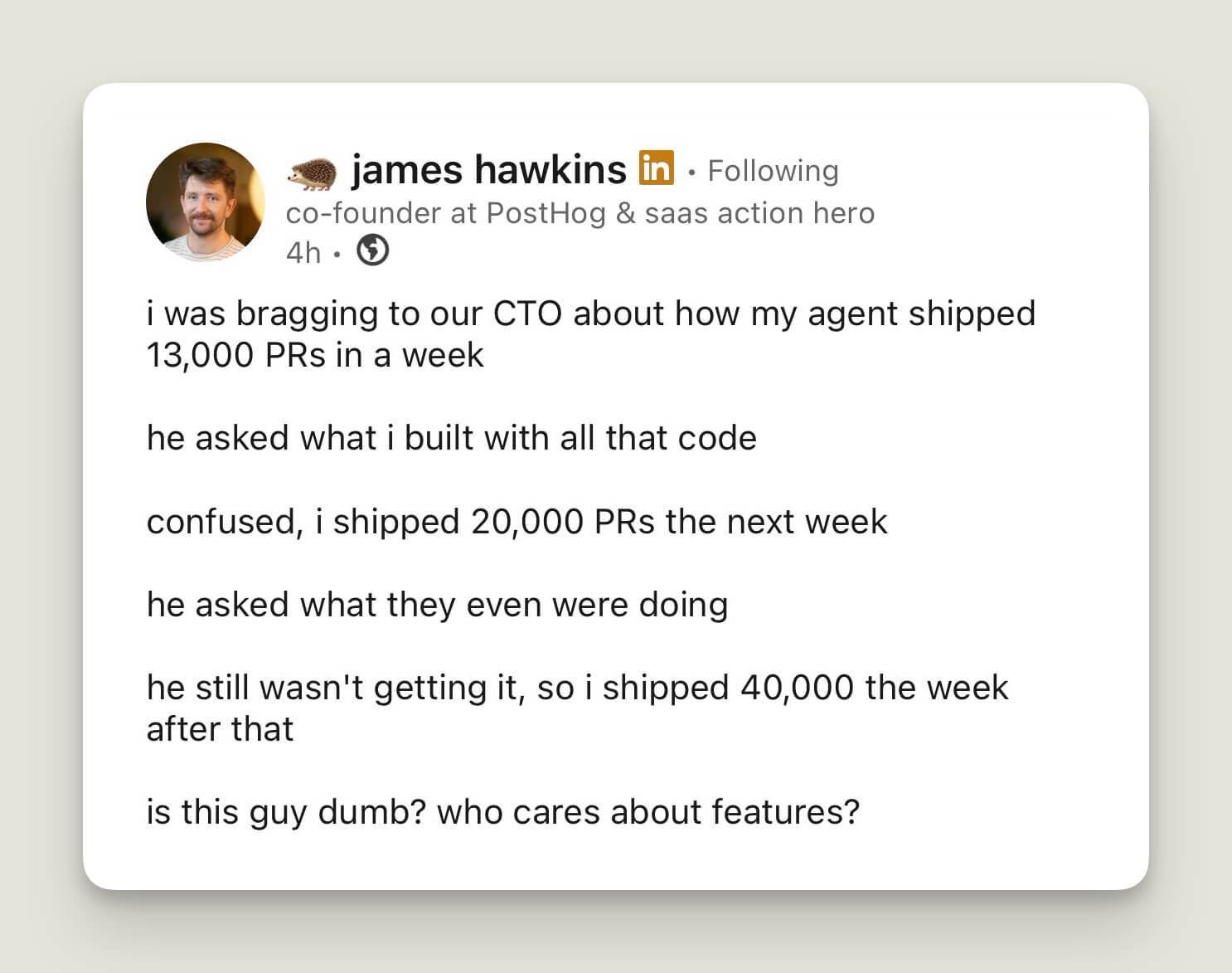
Producing more work isn’t the goal.
The goal is coherence, at scale, with quality.
Coherence develops when complexity is reduced and consistency is increased.
Feedback is the signal for coherence. It tells you when complexity is increasing because there are higher error rates, more divergent solutions in the code, and confusing parts of the user experience. Feedback also tells you when consistency is decreasing—when new components are created instead of shared abstractions, or inconsistency occurs in the user experience of the product. If you don’t improve the environment, coherence drifts and your conditions become unstable.
Equilio Harness
Like “software factory,” there’s another older term emerging in the AI age: harness.
A physical harness is equipment that controls power, like a horse’s harness.
A test harness is software infrastructure that runs tests and verifies behavior.
An agent harness (the newest term) is the environment surrounding an AI model to provide context, tools, permissions, workflows, verification, and feedback.
Same idea, different context.
I’ve been working on Equilio Harness, a framework of capabilities, coordination, and coding tools you can use to work effectively with agents, all while leveraging your hard-earned and valuable human judgement.
Thinking Toolkit
The Thinking Toolkit is a set of portable tools for thinking, learning, and building, including prompts, skills, templates, modes, and agents. Each artifact can be used by a person, a team, or with AI. Many of the skills are built from thinking I’ve shared in this newsletter, built on the foundational philosophy and principles of Equilio:
- frame-inquiry from Open Inquiry
- map-product-anatomy from Product Codex
- ownership-audit from Continuous Ownership
Agent Hub
The Agent Hub is a portable framework for orchestrating AI agents across projects. It coordinates repositories, AI agents, context references, tools, and work within a VS Code workspace, which is my preferred agentic coding environment. I use VS Code with the Claude Code and Codex plugins, integrated terminal, integrated browser, source control, and file browser. The hub is a repository that points to other repositories you work in, and it includes all the context you need to orchestrate work.
My current Agent Hub workflow includes:
- Orchestrator: A left-side Claude Code chat where I run skills and workflows to coordinate the work. It reads the context and helps me plan what to work on.
- Workers: A tiled grid of Claude Code terminals running focused sessions against specific tickets in my work board.
- Context: The authoritative sources of work, which include the board (what needs doing), memory (decisions and learning), and docs (how things work).
The structure of the Agent Hub is meant to be flexible. You can use Claude Code or Codex or another AI coding model. You can use Linear, GitHub, or local Markdown files for your work board. You can store memory and docs in the repo’s instance, Notion, Obsidian, or any other tool where you want to maintain the context.
Equilio Coding
Equilio Coding is a set of five independent agent skills for building coherent software. I use them to write code with agents, following a process of frame, map, explore, build, and integrate, with each step writing the current understanding back to the ticket. It works well with the Agent Hub because you can work with the Orchestrator to frame and map work, but then hand it off to independent Workers to build and integrate it.
There are also supporting skills I continue to add, like equilio-loop to let the agent run autonomously through the steps all the way to creating the PR; or equilio-review for reviewing a Pull Request to highlight key system changes worthy of human judgement; or equilio-explain to have the agent teach you about the system as you make changes.
Constraints breed creativity
Think about the scenario we started with. You’re running the startup, but instead of reacting to every decision, you mindfully deploy intelligence to reach outcomes. You focus your cognitive energy on defining clear constraints for the entire team (human and AI) to operate within. You design systems instead of reacting to interruptions.
I like working fast and iterating quickly, but also slowing down deliberately to let an idea mature. The pace of work matters. Working with agents is a new way to move intentionally, to choose the work you want to focus on without sacrificing broader progress. But you can also subscribe to the 996 theory of Silicon Valley and work more than you ever have because of how much you can achieve with AI.
Or you can choose a better intention.
Autonomy without constraint cultivates incoherence.
Designed Autonomy creates systems of work within intentional boundaries.
Or, as David Epstein says in Inside the Box:
“The real story of creation is not about boundlessness, but boundaries.”
Choose your boundaries. Design autonomy.
Enjoying this issue? Sign up to get weekly insights in your inbox: